
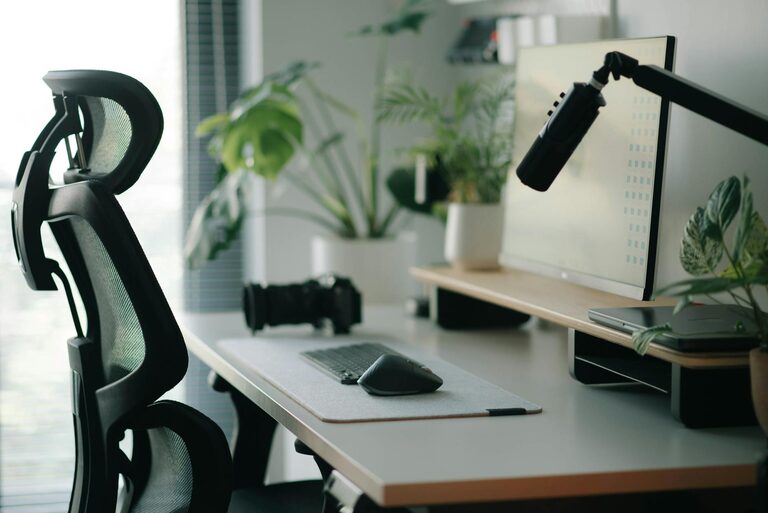
Creating a home workspace that is both productive and comfortable can significantly improve your work-from-home experience. Whether you work full-time remotely or occasionally tackle tasks from home, setting up an environment that supports focus and reduces distractions is key. In this post, we’ll explore actionable tips to help you design a workspace that suits your needs and promotes well-being.
Choose the Right Location
The foundation of a productive workspace is a good location within your home. Ideally, this should be:
– Quiet and low-traffic: A room or corner away from noisy areas like the kitchen or living room.
– Well-lit: Natural light boosts mood and alertness, so pick a spot near a window if possible.
– Dedicated: Avoid spaces that serve multiple purposes, such as the dining table, to create a clear boundary between work and leisure.
Setting up your workspace in a separate room can help mentally separate work time from rest time, making it easier to focus.
Invest in Comfortable and Ergonomic Furniture
Comfort is essential to maintain focus over long periods. Poor posture can lead to discomfort and fatigue, reducing productivity.
– Ergonomic chair: Choose a chair with adjustable height, lumbar support, and cushioning to keep your back comfortable.
– Desk height: Your desk should be at a height where your arms rest comfortably at 90 degrees when typing.
– Footrest: If your feet don’t touch the ground naturally, a footrest can help reduce strain.
– Monitor position: Place your screen at eye level and about an arm’s length away to reduce neck and eye strain.
Ergonomic accessories, like keyboard rests and wrist supports, can also improve comfort during long work sessions.
Keep Your Workspace Organised
A cluttered desk can be distracting and stressful. Keeping your workspace tidy helps maintain focus and saves time searching for materials.
– Use storage solutions such as shelves, filing cabinets, or desk organisers.
– Have only essentials on your desk: computer, notebook, pens, and a water bottle.
– Develop a habit of tidying your workspace at the end of each day.
Organising digital files systematically can also improve efficiency and reduce frustration.
Optimise Lighting
Lighting plays a huge role in how comfortable and alert you feel.
– Maximise natural light — position your desk near a window, but avoid glare on your screen.
– Use adjustable desk lamps with soft, warm light for evening work.
– Consider full-spectrum bulbs that mimic daylight to reduce eye strain.
Good lighting can reduce headaches and fatigue, keeping you productive longer.
Minimise Distractions
Distractions can severely impact your ability to concentrate. Here are some tips to create a distraction-free zone:
– Use noise-cancelling headphones or play soothing background music.
– Set boundaries with family or housemates during work hours.
– Put your phone on silent or in another room if it’s not needed.
– Turn off unnecessary notifications on your computer and gadgets.
Creating a routine and specifying work hours also helps manage interruptions.
Personalise Your Space
Adding a touch of personality can make your workspace more inviting and pleasant, which improves motivation.
– Decorate with plants to improve air quality and create a calming environment.
– Hang inspiring artwork or photos that make you smile.
– Use colour schemes that boost your energy or calm your nerves — blues and greens are popular for focus.
Remember to keep personal items minimal to avoid clutter.
Incorporate Movement Breaks
Long hours sitting can harm your posture and energy levels. Incorporate movement to stay alert:
– Stand up and stretch every hour.
– Use a sit-stand desk if possible to alternate positions.
– Take short walks around your home during breaks to refresh your mind.
Regular movement can increase circulation and clarity, helping you maintain productivity throughout the day.
Ensure Good Air Quality and Temperature
Your environment’s air and temperature affect how comfortable and focused you feel.
– Open windows regularly to circulate fresh air.
– Use a fan or heater to maintain an ideal temperature (generally around 20-22°C).
– Use air purifiers if you suffer from allergies or want cleaner air.
Comfortable temperature and fresh air prevent fatigue and help sustain concentration.
Use Technology Wisely
Make your tech work for you, not against you:
– Utilise apps for task management, focus timers, and note-taking.
– Invest in a reliable internet connection to avoid frustration.
– Regularly update software and hardware to avoid interruptions.
However, try to limit time spent on social media or unrelated browsing during work hours.
—
Final Thoughts
Designing a home workspace that balances comfort and productivity isn’t about perfection—it’s about creating a space that supports your work style and needs. Start with small changes, be mindful of your comfort, and adjust your setup as you learn what helps you stay focused. With the right environment, working from home can become more enjoyable and efficient. Happy workspace creating!